






 4.6
4.6
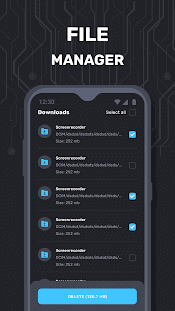
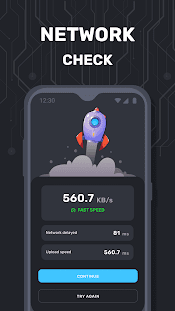
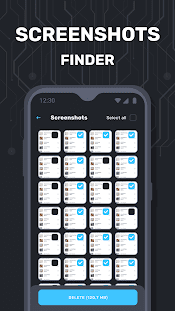


Advanced Security App Info


Introduction
In an era dominated by technology, our reliance on digital systems and data has never been more significant. As we store more of our personal and professional information online, the importance of safeguarding our digital assets has become paramount. This has led to the development of increasingly sophisticated security applications, and Magic Solutions Apps is at the forefront of this evolution with their cutting-edge solution: Advanced Security.
Advanced Security by Magic Solutions Apps is a comprehensive and versatile application designed to fortify your digital world. With the ever-present threats of cyberattacks, data breaches, and online privacy invasions, Advanced Security is your dependable guardian. It offers a range of features and tools that go beyond the standard security protocols, ensuring that your data remains secure and your online experiences are protected.
Features of Advanced Security
 Robust Security Configuration:
With Advanced Security, you gain effortless control over your Android device’s security settings. The app offers precise password guidance and confirmation, facilitating authentication while safeguarding your device through PIN or pattern lock options. It further enhances your security by providing invaluable suggestions to prevent phishing attacks and robust malware protection.
Vulnerability Scanning:
A standout feature of Advanced Security is its ability to scan your device for possible security vulnerabilities. It meticulously inspects for software obsolescence, improper device connectivity, or the presence of potentially harmful apps. Real-time notifications are also at your disposal to keep you updated and secure.
Personalization Options:
Beyond its formidable security capabilities, Advanced Security indulges your personalization preferences. You can tailor the app’s interface by selecting from a variety of captivating backgrounds, adding an aesthetic touch to the safeguarding of your device.
Highlights of Advanced Security
 Real-Time Threat Notifications
Advanced Security ensures you stay informed and protected at all times. It sends real-time notifications about potential threats, helping you take swift action to safeguard your device and data.
 Intuitive User Interface
The app’s user-friendly interface simplifies the process of configuring your device’s security settings. Whether you are a tech-savvy user or a novice, Advanced Security makes securing your device a hassle-free experience.
Enhanced Privacy
Your Android device is a treasure trove of personal information. Advanced Security empowers you to maintain your privacy by providing essential tools and recommendations to safeguard your data.
Tips
 Regularly Scan for Vulnerabilities.
Don’t overlook potential security weaknesses. Advanced Security can regularly scan your device to identify vulnerabilities. Outdated software, improper connections, or missing security updates can be swiftly spotted. Stay informed and proactive, thanks to the app’s real-time notifications and alerts.
Personalize and Secure.
Advanced Security goes beyond security features; it offers personalization options to make your app visually appealing. Customize the app’s interface with various backgrounds while ensuring your device’s safety. Achieve a balance between aesthetics and security, making your Android device both attractive and well-protected.
Pros & Cons
 1. Simplify the process of enhancing your device’s security, making it accessible to users of all levels.
2. The app not only offers security features but also educates users about maintaining security best practices.
3. Tailor the app’s interface to your liking, adding a touch of personality to your security efforts.
4. Receive immediate notifications about potential threats, enabling you to react promptly and effectively.
5. Stay protected against evolving security threats with consistent updates from Magic Solutions Apps.
1. Simplify the process of enhancing your device’s security, making it accessible to users of all levels.
2. The app not only offers security features but also educates users about maintaining security best practices.
3. Tailor the app’s interface to your liking, adding a touch of personality to your security efforts.
4. Receive immediate notifications about potential threats, enabling you to react promptly and effectively.
5. Stay protected against evolving security threats with consistent updates from Magic Solutions Apps.
 1. Advanced Security may require some initial familiarization for new users.
2. The app occupies some storage, which might be a concern for devices with limited space.
3. Continuous operation of security features can impact battery life, though minimally.
1. Advanced Security may require some initial familiarization for new users.
2. The app occupies some storage, which might be a concern for devices with limited space.
3. Continuous operation of security features can impact battery life, though minimally.
FAQ


Ratings
















