






 4.4
4.4





CallApp Caller ID & Block App Info


Introduction
In the age of modern social media and communication technology, the problem of phone harassment and spam text messages is growing. In order to protect personal privacy and improve communication efficiency, a lot of call recognition and interception software has emerged. CallApp: Caller ID & Block is a powerful phone identification and blocking software. It is designed to provide a comprehensive call management solution that helps users identify unknown calls, block spam calls and text messages, and provide communication record management and other features. The software is compatible with major smartphone operating systems such as Android and iOS.
Features
 Call recognition
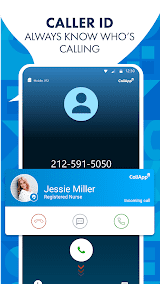
CallApp uses a powerful database and intelligent algorithm to identify incoming calls and display the caller's real name, profile picture and geographical location. This allows users to learn the identity of the caller before answering the phone, allowing them to make more informed decisions.
 Spam Call blocking
CallApp can automatically block and block calls from spam phone numbers. Its nuisance call database is constantly updated to ensure users have the latest protection.
Spam SMS interception
In addition to call interception, CallApp can also intercept and filter spam SMS. Users can set filtering rules to automatically block spam messages based on information such as keywords and senders.
Address book backup and recovery
CallApp allows users to back up and restore mobile phone contacts. This is a very useful feature to prevent the loss or accidental deletion of contacts in your address book.
Social media integration
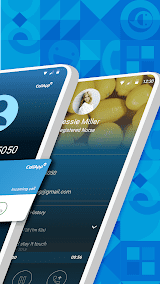
CallApp can also integrate with social media platforms to display the caller's social media information. This allows users to better understand callers and interact with them.
Highlights
 User-friendly interface
CallApp's interface is simple, intuitive and easy to use. It provides clear identification and instructions, making it easy to use even for users who are less familiar with technology.
 Strong recognition ability
CallApp's call recognition function is very accurate, and almost all callers can be identified. This allows users to avoid answering calls from strangers or nuisance calls.
Custom Settings
CallApp provides many personalized Settings options, allowing users to adjust the interception and identification rules according to their own needs. Users can adjust the caller identification display and blocking strategy according to their preferences.
Operation record management
CallApp records all call and intercept history, and users can view and manage these records at any time. This provides users with a complete picture of their communications.
Tips
 Grant permissions
CallApp requires some specific permissions to work properly, such as access to phone calls, SMS messages, and address books. Follow the on-screen prompts to grant the required permissions to the app.
 Configuration Settings
You can perform some configuration Settings according to your personal preferences. For example, you can choose whether to enable features such as call recognition, spam call blocking, and spam text message filtering. You can also set notification preferences and personalize blocking rules. Make the Settings as needed and click Save to apply the changes.
Personalized Settings
CallApp offers a number of personalization options that allow you to make custom adjustments according to your individual needs.
Interception rules
You can adjust the interception rules according to your needs. For example, you can set conditions such as specific keywords, numbers, or senders to automatically block incoming calls and text messages that match them.
Pros & Cons
 1. Strong call identification ability: This can accurately display caller identity information.
2. Spam call interception: Automatically intercept and filter harassing calls and spam messages, improve communication efficiency and protect personal privacy.
3. User-friendly interface and personalization options: This enables users to make custom adjustments according to their needs.
1. Strong call identification ability: This can accurately display caller identity information.
2. Spam call interception: Automatically intercept and filter harassing calls and spam messages, improve communication efficiency and protect personal privacy.
3. User-friendly interface and personalization options: This enables users to make custom adjustments according to their needs.
 1. Uncertain inconvenience: Some advanced functions may require a lockout, which may be inconvenient for some users.
2. Occasional error: In some cases, the call identification error may occur and incorrect information may be displayed.
1. Uncertain inconvenience: Some advanced functions may require a lockout, which may be inconvenient for some users.
2. Occasional error: In some cases, the call identification error may occur and incorrect information may be displayed.
FAQ


Ratings
















