






 4.7
4.7


DuckDuckGo Private Browser App Info


Introduction
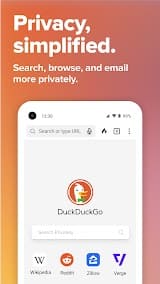
DuckDuckGo Private Browser is a cutting-edge application offered by DuckDuckGo, a renowned privacy-focused search engine. This mobile browser prioritizes user privacy and security, delivering a browsing experience that keeps personal data confidential. With built-in privacy features, the DuckDuckGo Private Browser goes beyond traditional browsers to protect users from tracking, invasive ads, and other online threats. Its robust privacy essentials include a robust ad blocker, strict encryption protocols, and a clear privacy dashboard, empowering users to take control of their digital footprint. DuckDuckGo’s commitment to transparency is evident in the browser’s user-friendly interface, providing easy access to privacy settings and ensuring a hassle-free browsing experience. For those seeking a private and secure online journey without compromising on functionality, DuckDuckGo Private Browser stands as a beacon of digital privacy in increasingly interconnected world.
Features of DuckDuckGo Private Browser
 Privacy at the Core:
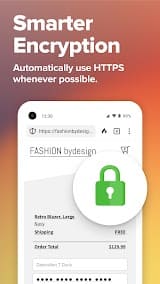
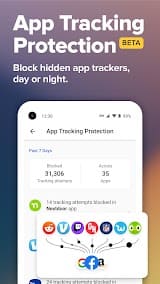
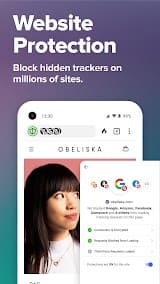
DuckDuckGo Private Browser is built on a foundation of privacy, blocking hidden trackers, and offering robust encryption to safeguard your online activities. It ensures that your browsing history remains your own, not fodder for targeted ads or data brokers.
 Efficient Search Functionality:
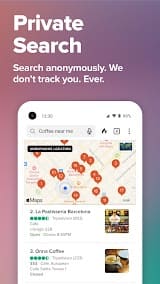
Integrating DuckDuckGo’s renowned search engine, the browser enhances search capabilities without compromising privacy. Users can access instant answers and a clutter-free browsing experience while being assured that their search queries are not monitored or stored.
Seamless Fire Button:
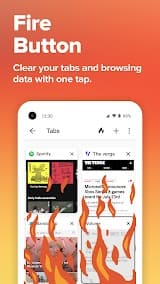
A unique and handy feature is the Fire Button, which erases all open tabs and browsing history with a single tap. This allows for swift and efficient disposal of sensitive information, maintaining a clean slate for the user's online interactions.
Customized Privacy Grades:
DuckDuckGo Private Browser assigns privacy grades to websites, allowing users to gauge the safety of their online destinations. This feature educates users about potential risks and empowers them to make informed choices regarding the sites they visit.
Highlights of DuckDuckGo Private Browser
 Anonymous Browsing
DuckDuckGo Private Browser ensures your anonymity by blocking trackers that seek to monitor your online behavior. This shields you from the prying eyes of advertisers and data harvesters, letting you browse without leaving a trace.
 Streamlined User Interface
The browser maintains a sleek and user-friendly interface, emphasizing simplicity without compromising functionality. Navigating through its features is intuitive, making it accessible for users of all levels of technical expertise.
Enhanced Speed and Efficiency
Despite its privacy-centric features, the browser doesn’t sacrifice speed. DuckDuckGo Private Browser is engineered to deliver a fast and efficient browsing experience, debunking the myth that privacy comes at the cost of performance.
Tips
 Enhance Search Anonymity.
Maximize your privacy by using DuckDuckGo’s private search engine. The browser doesn’t store your search history, avoiding the creation of a digital footprint. Make the most of the app’s built-in search shortcuts and instant answers to streamline your search process while keeping your queries confidential.
 Customize Privacy Settings.
Tailor your privacy preferences within the app. Explore the settings menu to adjust privacy features like the ability to disable third-party cookies and enforce encrypted connection where possible. Activate the app’s fingerprinting protection to thwart online trackers attempting to uniquely identify your device. Personalized your privacy controls to match your comfort level with online data sharing.
Pros & Cons
 1. Enhanced privacy protection from online trackers
2. Convenient tracker and ad blocking built directly into the browser
3. Forces encryption for secure browsing sessions
4. Provides anonymous web searches without tracking
5. Quickly erases browsing history with the Fire button
6. Lightweight app with little battery/data usage
7. Open-source code that is transparent and auditable
1. Enhanced privacy protection from online trackers
2. Convenient tracker and ad blocking built directly into the browser
3. Forces encryption for secure browsing sessions
4. Provides anonymous web searches without tracking
5. Quickly erases browsing history with the Fire button
6. Lightweight app with little battery/data usage
7. Open-source code that is transparent and auditable
 1. Limited configuration options and customization
2. No syncing between devices or bookmark support
3. Not compatible with browser extensions/add-ons
4. Some sites may break due to tracker blocking
5. No biometric authentication like fingerprint unlock
6. Lack of parental controls or guest mode
1. Limited configuration options and customization
2. No syncing between devices or bookmark support
3. Not compatible with browser extensions/add-ons
4. Some sites may break due to tracker blocking
5. No biometric authentication like fingerprint unlock
6. Lack of parental controls or guest mode
FAQ


Ratings
















