






 4.1
4.1



Messenger App Info


Introduction
Messenger, launched by Meta Platforms, Inc. on January 30, 2014, is a standalone communication application that has since become an essential tool for millions globally. Initially designed to streamline the messaging feature of the main Facebook app, Messenger evolved rapidly, offering users the ability to send texts, photos, videos, and voice messages. Its intuitive interface, combined with unique features such as group chats, video calls, and various integrations, distinguishes it from other messaging platforms. Over the years, Messenger has incorporated innovative additions like chatbots, payment systems, and augmented reality filters, reflecting Meta’s vision of blending social interaction with cutting-edge technology. With its vast user base and dynamic features, Messenger isn’t just an app; it’s a pivotal platform reshaping the way we communicate in the digital era.
Features of Messenger
 Instant Messaging:
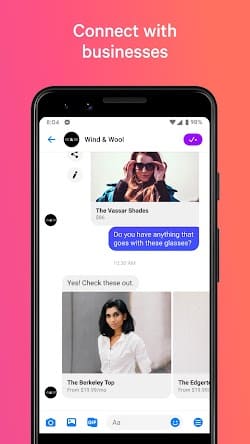
Messenger provides a seamless and user-friendly interface for sending instant messages to individuals or groups. Users can stay in touch with their contacts in real-time, sending text, emojis, photos, videos, and voice recordings effortlessly.
 Voice and Video Calls:
With Messenger, users have the option to make high-quality voice and video calls to their contacts, whether they are across the street or on the other side of the world. The app supports one-on-one conversations, as well as group calls, making it a versatile communication tool for both personal and professional use.
Stickers and GIFs:
To add a fun and expressive touch to conversations, Messenger offers a vast collection of stickers and GIFs. Users can choose from a wide range of animated images and stickers to convey emotions, reactions, and sentiments in a more engaging and visual way.
Chat Extensions:
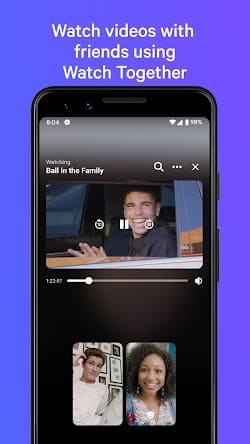
Messenger allows integration with various third-party apps through its chat extension feature. This enables users to seamlessly share content, such as articles, videos, music, or even make restaurant reservations, without leaving the app. It provides a convenient and efficient way to enrich conversations and collaborate with others.
Highlights of Messenger
 Broad User Base
Messenger boasts a massive user base, with millions of active users worldwide. This extensive reach ensures that users can easily connect with their friends, family, and colleagues, regardless of their location.
 Cross-Platform Compatibility
Messenger is available on multiple platforms, including iOS, Android, and web browsers, ensuring accessibility and convenience for users across different devices. Whether you are using a smartphone, tablet, or computer, you can stay connected through Messenger.
Versatile Communication Options
In addition to text-based messaging, Messenger offers a range of communication options, including voice and video calls, group chats, and even the ability to send money to friends. These features make it a comprehensive and flexible platform for all types of communication needs.
Tips
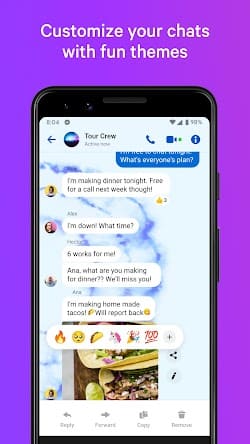
 Personalize chat themes and nicknames.
Personalize your conversations by changing chat colors and assigning unique nicknames to your contacts. To do this, click on the contact’s name at the top of your chat window and select the options you want to customize. By giving each chat its unique theme or nickname, you can easily differentiate between conversations and make your chat experience more fun and personalized.
Mute the tidal wave of notifications if they are annoying.
If you find yourself bombarded with too many notifications, or if simply want some quiet time, you can mute individual or group chats. Go to the specific chat’s details by clicking on the contact or group’s name and choose the mute option. You can decide the mute duration, from 15 minutes to indefinitely. This ensures that you won’t be disturbed during meetings or your relaxation time.
Pros & Cons
 Instant communication facilitates real-time chats with friends, streamlining global interactions.
Easily send photos, videos, and voice messages for expressive communication.
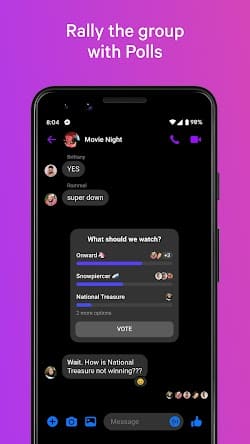
Group chats allow users to coordinate plans or discussions among multiple people in group conversations.
Instant communication facilitates real-time chats with friends, streamlining global interactions.
Easily send photos, videos, and voice messages for expressive communication.
Group chats allow users to coordinate plans or discussions among multiple people in group conversations.
 Data sharing with Facebook raised issues over user information security.
Active use and background processes can deplete smartphone battery faster.
Can become distracting with frequent message alerts and notifications.
Multimedia messages can consume significant mobile data, incurring extra costs.
Data sharing with Facebook raised issues over user information security.
Active use and background processes can deplete smartphone battery faster.
Can become distracting with frequent message alerts and notifications.
Multimedia messages can consume significant mobile data, incurring extra costs.
FAQ


Ratings
















