






 4.6
4.6




Google Lens App Info


Introduction
Google Lens, a cutting-edge application developed by Google LLC, seamlessly merges the physical and digital worlds through the power of visual recognition technology. Launched in 2017, Google Lens serves as a visual search engine, allowing users to explore and understand their surroundings in new and innovative ways. By simply pointing their device’s camera at objects, texts, or landmarks, users can unlock a wealth of information and functionalities. Google Lens goes beyond traditional search by recognizing and interpreting images in real-time, enabling instant access to relevant details, translations, and contextual insights. Whether deciphering foreign languages, identifying plant species, or extracting text from images, Google Lens transforms the camera into a powerful tool for exploration and discovery. This transformative application exemplifies Google’s commitment to pushing the boundaries of technology, enhancing user experiences, and making information accessible at the snap of a photo.
Features of Google Lens
 Visual Search:
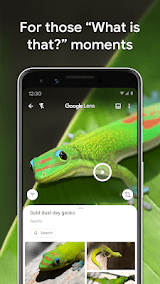
Google Lens allows users to search the internet using images. By simply pointing the camera at an object or scene, Lens analyzes and retrieves relevant information, making it an invaluable tool for quick and efficient searches.
 Text Recognition:
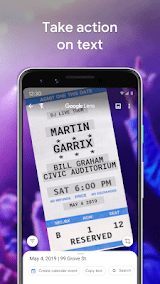
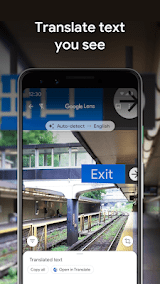
With OCR (optical character recognition) technology, Google Lens extracts and interprets text from images. Users can translate foreign languages, copy text from printed documents, or save contact information by simply scanning with their device.
Landmark Recognition:
Google Lens can identify landmarks and provide real-time information about them. Whether exploring a new city or rediscovering familiar surroundings, users can gain insights into historical significance, architectural details, and more.
Product Search:
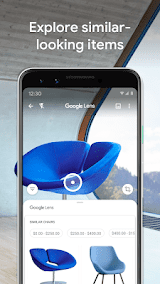
When shopping, users can leverage Google Lens to find information about products by scanning barcodes or taking pictures. This feature allows for instant price comparisons, reviews, and online purchasing options.
Highlights of Google Lens
 Augmented Reality Integration
Google Lens pioneers the integration of augmented reality into daily activities, offering an immersive experience that enhances understanding and engagement with the environment.
 Cross-Platform Accessibility
Available on both Android and iOS devices, Google Lens ensures widespread accessibility, allowing users across different platforms to harness its powerful features.
Multilingual Support
Google Lens supports multiple languages, enabling users worldwide to seamlessly interact with the application, breaking down language barriers and facilitating global communication.
Tips
 Instant Object Identification.
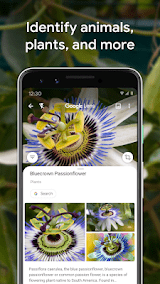
Maximize your productivity by leveraging Google Lens to identify objects in your surroundings. Whether you encounter unfamiliar plants, landmarks, or products, Google Lens can provide instant information about them. This capability is particularly useful for educational purposes, enabling users to learn more about their environment and expand their knowledge on the go. From art galleries to nature walks, Google Lens transforms your smartphone into an informative guide.
 Enhanced Accessibility.
Google Lens contributes to accessibility by empowering individuals with visual impairments. By using the app to recognize and read text aloud, it becomes an assistive tool for navigating the physical world. Menus, signs, and documents can be effortlessly understood through the lens of your device, promoting greater independence and inclusivity. This aspect showcases Google’s commitment to leveraging technology for the betterment of diverse user experiences.
Pros & Cons
 1. Convenient access to information about objects seen through the camera
2. Easy translation of foreign language text
3. Help understanding math/science homework by scanning problems
4. Identify landmarks, products, media by scanning labels or covers
5. Fun way to learn more about objects around you
1. Convenient access to information about objects seen through the camera
2. Easy translation of foreign language text
3. Help understanding math/science homework by scanning problems
4. Identify landmarks, products, media by scanning labels or covers
5. Fun way to learn more about objects around you
 1. Can be slower and less accurate than web search in some cases
2. Quality of results relies heavily on image recognition technology
3. Potential privacy issues with automatically analyzing camera imagery
4. Requires a smartphone and internet connection to utilize
5. Excessive use could make users too reliant on technology rather than critical thinking
1. Can be slower and less accurate than web search in some cases
2. Quality of results relies heavily on image recognition technology
3. Potential privacy issues with automatically analyzing camera imagery
4. Requires a smartphone and internet connection to utilize
5. Excessive use could make users too reliant on technology rather than critical thinking
FAQ


Ratings
















