






 4.9
4.9








Holy Bible Now:Verse+Audio App Info


Introduction
Introducing Holy Bible Now:Verse+Audio – your ultimate companion for a deeper spiritual journey. Developed by the Bible Now Group, this transformative application brings the sacred scriptures of the Holy Bible to life like never before. With its user-friendly interface and powerful features, Holy Bible Now: Verse+Audio offers a unique and enriching experience for individuals seeking spiritual guidance, inspiration, and insight.
This innovative app combines the timeless wisdom of the Bible with modern technology, providing you with easy access to a vast library of verses and audio content. Whether you’re a devout follower, a curious seeker, or simply looking for daily inspiration, our application caters to all. You can explore, search, and listen to your favorite Bible verses, allowing the ancient teachings to resonate in your daily life.
Immerse yourself in the wisdom of the ages with Holy Bible Now: Verse+Audio, and let the profound words of scripture inspire and guide you on your spiritual journey.
Features of Holy Bible Now:Verse+Audio
 Verse and Audio Integration:
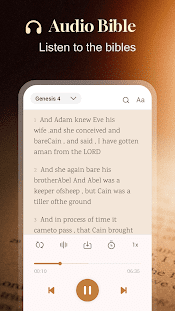
Holy Bible Now:Verse+Audio offers a unique feature by contributing the traditional text of the Bible with high-quality audio recordings. Users can read or listen to their favorite verses, making the scriptures accessible to a wide audience.
 Search and Bookmark:
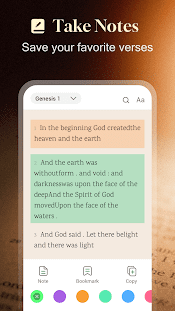
Holy Bible Now:Verse+Audio provides a powerful search function, allowing users to quickly locate specific passages. Additionally, you can bookmark verses for easy reference, creating a personalized collection of meaningful scripture.
Daily Verse and Reflection:
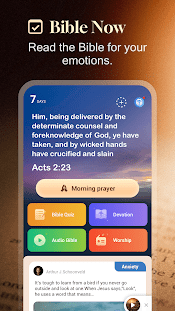
Start your day with inspiration and contemplation by receiving a daily Bible verse and reflection. This feature helps users stay connected to their faith and find guidance for daily challenges.
Highlights of Holy Bible Now:Verse+Audio
 Accessibility
Holy Bible Now:Verse+Audio breaks down barriers to accessing the Bible. The combination of text and audio makes it easier for individuals with different learning preferences, including those with visual impairments, to engage with the scriptures.
 User-Friendly Interface
The application boasts an intuitive and user-friendly interface, making it suitable for individuals of all ages and technological backgrounds. Navigating the app and finding specific verses is a breeze.
Offline Mode
You don’t need a constant internet connection to access the Holy Bible Now:Verse+Audio. Download your favorite verses and listen to them offline, ensuring uninterrupted spiritual exploration.
Tips
 Utilize Verse Search and Bookmarking.
One practical tip for making the most of the Holy Bible Now:Verse+Audio application by Bible Now Group is to make use of the verse search and bookmarking features. This allows you to quickly find specific passages or verses within the Bible, making it easier to reference and study particular sections of the scripture. Additionally, bookmarking your favorite verses or passages ensures that you can return to them easily, providing a convenient way to revisit and reflect on meaningful content.
Set Up Daily Reading Plans.
To stay committed to regular Bible study, consider setting up daily reading plans within the app. This feature can help you establish a consistent routine for engaging with the Word of God. By breaking down the Bible into manageable daily portions, you can gradually work through the entire scripture and ensure that you’re consistently immersing yourself in its teachings.
Pros & Cons
 1. Accessible Bible reading and listening experience through audio recordings in many languages.
2. Ability to download audio for offline use without internet connectivity.
3. User-friendly interface and navigation makes reading and listening seamless.
4. Synced verse-by-verse audio with Bible text for integrated experience.
5. Completely costless app with no paid subscriptions or in-app purchases required.
1. Accessible Bible reading and listening experience through audio recordings in many languages.
2. Ability to download audio for offline use without internet connectivity.
3. User-friendly interface and navigation makes reading and listening seamless.
4. Synced verse-by-verse audio with Bible text for integrated experience.
5. Completely costless app with no paid subscriptions or in-app purchases required.
 1. Large file sizes for downloading audio recordings.
2. Fewer navigation features than paid Bible study apps.
3. Highlights and notes only sync on devices logged into the same account.
1. Large file sizes for downloading audio recordings.
2. Fewer navigation features than paid Bible study apps.
3. Highlights and notes only sync on devices logged into the same account.
FAQ


Ratings
















