






 4.2
4.2


The Weather Channel App Info


Introduction
The Weather Channel is an interactive, intuitive, weather app with up-to-date, accurate forecasts, and information. Its interactive radar maps allow users to monitor storms, precipitation and other extreme weather events where they live or around the globe. The app provides hourly and 10-day forecast details (temperature, wind speed, humidity, UV index). Easy to navigate, and with severe weather alerts and preparedness features, it keeps you informed and prepared. Whether you're planning a trip, checking a nearby forecast, or tracking a storm, The Weather Channel is a trusted tool to harness the elements. Now available on both iOS and Android, you should definitely download it if you're a weather geek or just a regular person who wants to know when to head outside.
Features
Accurate Forecasts
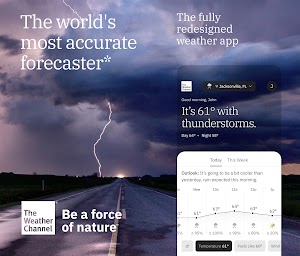
The Weather Channel is world's most accurate forecaster, local rain radar, live updates to keep you informed and safe.
Live Radar and Storm Tracking
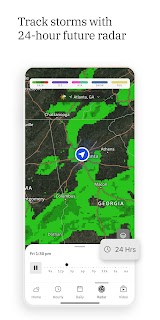
It includes live radar, storm and hurricane trackers, and severe weather alerts for rain, snow and more. This prepares users for and keeps them ahead of storms that are coming.
Hourly and Daily Forecasts
Users will be able to plan with confidence as they can see hourly and daily forecasts and a 15 day forecast.
Air Quality Monitoring
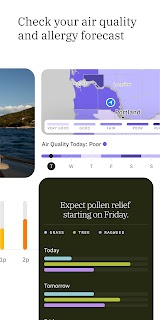
Its air quality index is especially useful during wildfire season.
Highlights
Customizable Widgets
The variety of attractive and functional widgets on offer and their customization is the cherry on top.
Travel Information
The app's route feature lets users enter a starting point and destination in order to see predictions for possible storms along the way, although this feature is still being developed.
User-Friendly Interface
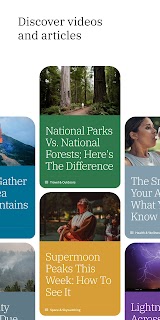
The Weather Channel has a bright, fast interface with scrolling tabs for radar, current conditions, videos and forecasts. The navigation is intuitive and simple.
Solid Radar Maps
The app offers several radar options, but the design isn't the most straightforward.
Tips
Navigate and Set Preferences
On first time opening the app may ask you to set your location or enter it manually. So you can change settings as you enter the weather world, including choosing systems of measure you want to use.
See Interactive Map
To access the radar, the user has to open the radar section of the app Below, you'll find real-time radar imagery that provides an idea of where intense precipitation is found and potential weather hazards are present.
Access Additional Features
This one provides you with hourly, 10-day, special weather alert, air quality forecasts and much more. More about these features can be found by tapping on the relevant icons or sections within the app itself.
Alerts and Notifications
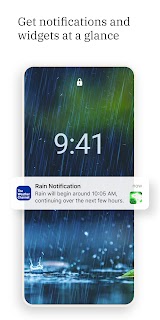
You can get notifications on your phone for weather alerts for stormy weather, tornadoes, thunderstorms, heavy rain, sleet, snow, etc.
Pros & Cons
 Bright and Fast Interface: The app interface is well-done and responsive. Scroll tabs and features feel slick and load quickly.
Video Forecast: There are a large amount of weather forecast videos, improving the user experience.
Travel Insights: This is an imperfect but a potentially promising feature to help users better plan the bother of getting around.
Bright and Fast Interface: The app interface is well-done and responsive. Scroll tabs and features feel slick and load quickly.
Video Forecast: There are a large amount of weather forecast videos, improving the user experience.
Travel Insights: This is an imperfect but a potentially promising feature to help users better plan the bother of getting around.
 Intrusive Ads: The app features non-removable banner advertisements, which may be bothersome and inconvenient.
Bugs: There's also a bullet point about occasional bugs; some users have reported issues with the app — like graphs not appearing or the location search being busted.
Intrusive Ads: The app features non-removable banner advertisements, which may be bothersome and inconvenient.
Bugs: There's also a bullet point about occasional bugs; some users have reported issues with the app — like graphs not appearing or the location search being busted.
FAQ


Ratings
















