






 4.4
4.4


Workday App Info


Introduction
Workday, developed by Workday, Inc., is a cutting-edge cloud-based application designed to streamline and optimize human resources, finance, and planning functions for businesses of all sizes. As a comprehensive enterprise platform, Workday combines a user-friendly interface with powerful functionality, enabling organizations to manage their workforce, financials, and operational processes seamlessly. With a focus on user experience, Workday provides intuitive tools for personnel management, payroll, time tracking, and talent acquisition. Its unified architecture ensures real-time data access and collaborative workflows, fostering agility and informed decision-making. The application’s cloud-based nature ensures continuous updates and scalability, eliminating the need for complex on-premise installations. Workday’s commitment to innovation and customer satisfaction has positioned it as a leading solution for modern businesses seeking efficiency, transparency, and strategic insights across their operations.
Features of Workday
 Unified Platform:
Workday offers a seamless, unified platform that consolidates HR, finance, and planning processes. This integration fosters collaboration and ensures real-time data accessibility, enabling informed decision-making across departments.
 Advanced Analytics:
The application boasts powerful analytics tools, providing organizations with deep insights into their workforce, financial performance, and overall business operations. These analytics empower users to identify trends, forecast future needs, and optimize strategies.
Mobile Accessibility:
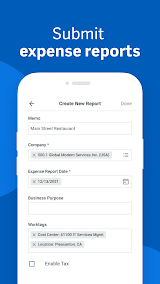
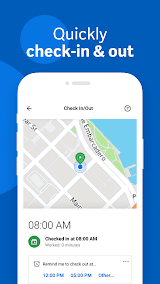
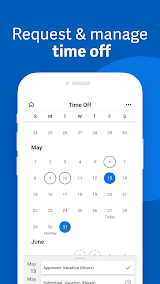
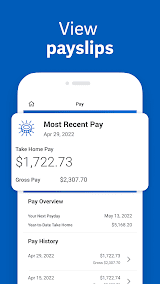
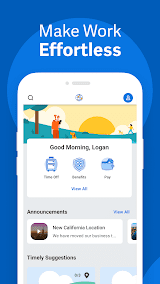
Workday’s mobile app extends the platform’s capabilities to users on the go. Employees can manage tasks, access critical information, and approve workflows from their mobile devices, enhancing productivity and flexibility within the modern workplace.
Adaptive Planning:
Workday’s adaptive planning feature enables organizations to create dynamic, data-driven financial plans. Users can model different scenarios, assess potential impacts, and adjust strategies in real time, fostering agility in the face of evolving business conditions.
Highlights of Workday
 Intuitive User Interface
Workday’s interface is designed with user experience in mind, featuring an intuitive layout that simplifies navigation. This design not only reduces the learning curve for new users but also enhances overall system usability.
 Continuous Innovation
Workday is committed to continuous innovation, regularly updating its features and capabilities to align with evolving business needs. This commitment ensures that users benefit from cutting-edge technologies and stay ahead in a rapidly changing business landscape.
Robust Security Measures
Security is a top priority for Workday, with the platform incorporating advanced measures to protect sensitive data. These include encryption, multi-factor authentication, and regular security audits, instilling confidence in users regarding the safety of their information.
Tips
 Smart Utilization of Workday Mobile App.
Stay connected and productive on the go by leveraging the Workday mobile app. Enable push notifications to receive timely updates on approvals, tasks, or important changes. Use the app’s capabilities to submit and approve requests, view key metrics, and access critical information from your mobile device. Embrace the flexibility of mobile functionality to enhance your responsiveness and efficiency, ensuring you can manage tasks and stay informed regardless of your location.
 Collaborative Workflows and Communication.
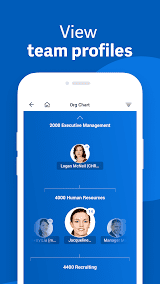
Workday fosters collaboration by providing tools for effective communication and task management. Leverage shared calendars, team pages, and collaborative workspaces to enhance team coordination. Utilize @mentions and commenting features to communicate directly within the platform, reducing the need for external communication channels. Integrate tasks seamlessly into your team’s workflow, ensuring everyone stays informed and can contribute efficiently. Embrace the collaborative nature of Workday to enhance team dynamics and overall productivity.
Pros & Cons
 1. Lower TCO than legacy ERP systems
2. Frequent innovations from cloud delivery model
3. Mobile access and intuitive interface
4. Unified HR and financial data
5. Configurable platform and workflows
1. Lower TCO than legacy ERP systems
2. Frequent innovations from cloud delivery model
3. Mobile access and intuitive interface
4. Unified HR and financial data
5. Configurable platform and workflows
 1. Can have high subscription fees
2. Limited customization compared to on-prem
3. Must adapt to Workday’s twice-yearly updates
4. Not as scalable as larger ERP vendors
1. Can have high subscription fees
2. Limited customization compared to on-prem
3. Must adapt to Workday’s twice-yearly updates
4. Not as scalable as larger ERP vendors
FAQ


Ratings
















