






 4.5
4.5




Tor Browser App Info


Introduction
Tor Browser is an open source web browser designed to provide a web browsing experience that protects user privacy and anonymity. Tor Browser is a web browser based on the Mozilla Firefox browser that protects the privacy and anonymity of its users by using the Tor network. The Tor Network is a volunteer-run network that protects users' privacy and anonymity by hiding their real IP addresses and browsing behavior through multiple layers of encryption and random routing. Tor Browser is a web browser that provides privacy and anonymity protection. By using the Tor Network, users can browse the Internet anonymously in the Tor Browser, protecting their privacy and anonymity. Although Tor Browser is slow and has limited access to some websites, its privacy and anonymity protection features make it an ideal choice for users with high privacy and security requirements.
Features of Tor Browser
 Privacy Protection
Tor Browser uses the Tor network to encrypt and randomly route users' network traffic through multiple relay nodes, thus hiding users' real IP addresses and browsing behaviors and protecting users' privacy.
 Anonymous Browsing
Because the user's network traffic passes through multiple relay nodes, the user's real IP address and browsing behavior cannot be traced, so users can browse the Internet anonymously in Tor Browser.
Prevent Tracking
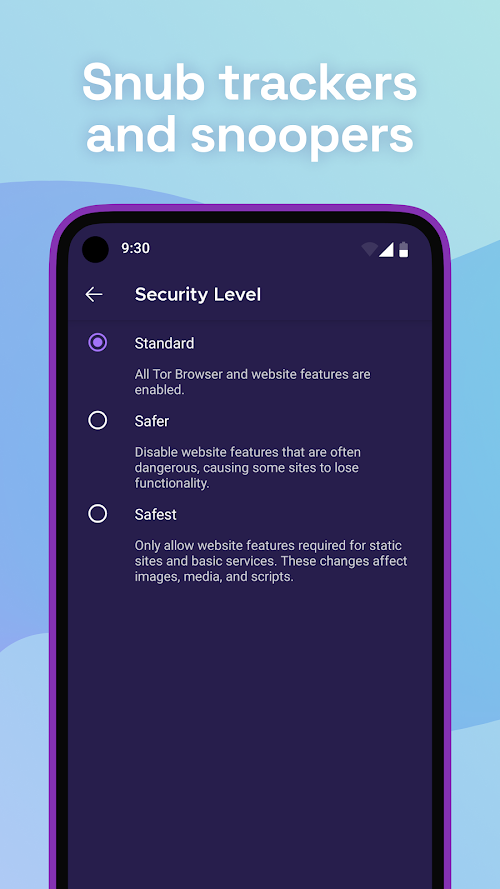
Tor Browser has built-in features to prevent tracking, such as blocking websites' ads and tracking scripts, thereby improving users' web browsing speed and privacy protection.
Highlights of Tor Browser
 Anonymity Protection
Tor Browser provides a high degree of anonymity protection by using the Tor network, so that users can browse the web and use network services without worrying about their privacy disclosure.
 Open Source Transparency
Tor Browser is open source software that allows anyone to view and review its code to ensure its security and reliability.
Cross-platform Support
Tor Browser supports multiple operating systems, including Windows, Mac, and Linux, and users can use Tor Browser on different platforms.
Tips
 Download and install
Download the version suitable for your operating system from the official website of Tor Browser and install it as prompted.
 Start using
After the installation is complete, open the Tor Browser and you can start browsing the Internet anonymously.
Browse the web
Enter the URL in Tor Browser to access the web page, and the user's network traffic will be encrypted and randomly routed through the Tor network.
Configuration settings
Users can perform some configuration Settings on Tor Browser according to their needs, such as enabling or disabling certain functions and changing languages.
Pros & Cons
 Privacy protection: Tor Browser effectively protects users' privacy by using the Tor network, preventing users' real IP address and browsing behavior from being tracked and monitored.
Shielding layer: Tor Browser also has built-in shielding layers, such as blocking malicious websites, blocking access to specific countries, etc., to provide a more secure web browsing environment.
Privacy protection: Tor Browser effectively protects users' privacy by using the Tor network, preventing users' real IP address and browsing behavior from being tracked and monitored.
Shielding layer: Tor Browser also has built-in shielding layers, such as blocking malicious websites, blocking access to specific countries, etc., to provide a more secure web browsing environment.
 Slow speed: Because users' network traffic needs to pass through multiple relay nodes, Tor Browser's browsing speed is relatively slow.
Limited access to some websites: Because some websites have restrictions on the Tor network, users may not be able to access certain websites or services.
Slow speed: Because users' network traffic needs to pass through multiple relay nodes, Tor Browser's browsing speed is relatively slow.
Limited access to some websites: Because some websites have restrictions on the Tor network, users may not be able to access certain websites or services.
FAQ


Ratings
















